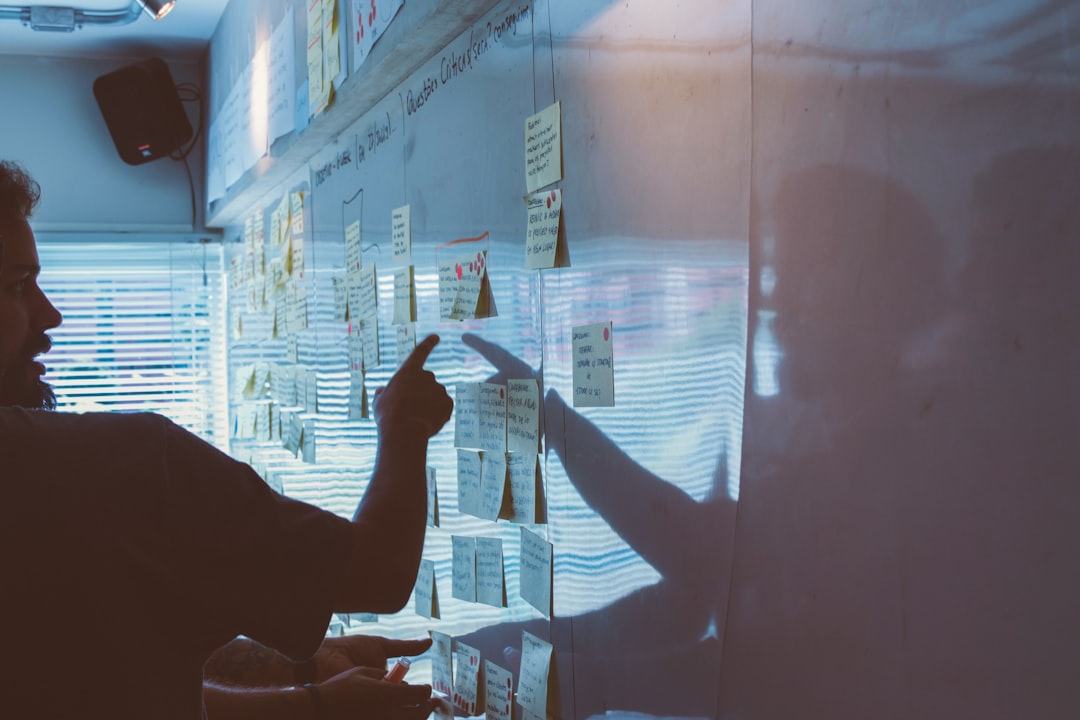
Computer vision is moving from high-budget sports rooms and manufacturing lines into the tabletop hobby, and that shift is a big deal for playtesters, designers, and publishers who want more than gut feel. If you’ve ever watched a session of a new engine builder or skirmish game and thought, “I wish I knew exactly where the bottleneck happened,” this guide is for you. The same logic that powers elite tracking in pro sports — see how companies like SkillCorner’s AI-powered analytics turn raw movement into decisions — can be adapted to board game play session recording, open-source machine learning, and tabletop analytics on a budget. In practical terms, you can capture player movement, piece placement, timing, and even hesitation patterns, then turn those signals into cleaner rules, better component layouts, and sharper pacing. For teams already experimenting with sensor-to-dashboard workflows, this is the tabletop version: less glam, more cardboard, and surprisingly actionable.
Why computer vision belongs in tabletop playtesting
Playtest notes miss the stuff players don’t say out loud
Traditional playtesting depends on observation, recollection, and post-game discussion, but those methods usually undercount micro-events. A player may spend 20 seconds scanning a board, hover their hand over one region, then quietly abandon a legal-but-painful move; to the designer, that can look like “reasonable deliberation,” even when it is actually a sign of confusing iconography or poor affordance. Computer vision gives you a way to measure that invisible friction. By tracking hands, tokens, cards, and board zones, you can quantify where attention stalls and where the session flows smoothly.
The sports analytics analogy is useful, but tabletop data is different
Pro sports tracking thrives because movement is continuous, the field is standardized, and the camera angle can be tightly controlled. Tabletop sessions are messier: pieces are small, hands occlude the board, card backs are identical, and players often move in unpredictable bursts. That doesn’t make the problem harder in a useless way; it makes the data richer. Instead of trying to reconstruct every millimeter, focus on a few reliable signals: piece displacement, turn timing, zone occupancy, and how often players revisit the same decision area.
The win is not “AI for AI’s sake”
The point of tabletop analytics is not to replace human playtesters with dashboards. It is to remove uncertainty around design questions that are otherwise hard to answer at scale. Did players really understand the spatial puzzle, or did they just brute-force it after three confusing turns? Is the setup time too long, or does the perceived setup time merely feel long because the first few minutes lack visual guidance? Computer vision helps answer those questions with evidence, much like how competitive match analysis in esports turns scattered observations into tactical insight.
What to measure: the tabletop analytics signals that matter most
Player movement and table circulation
In a board game session, player movement can reveal group dynamics, reach problems, and “table ownership” issues. If one player consistently leans across the center while another stays pinned to their mat, the physical layout may be unintentionally favoring the more mobile seat. Movement heatmaps can also show which parts of a modular board attract repeated attention. That’s especially useful for games with exploration, hidden information, or area control, because it tells you which spaces are naturally legible and which are being ignored.
Piece placement and zone transitions
For many games, piece placement is the closest thing to event data. Every token placed on a market row, every card moved into a tableau, and every mini shifted into a zone is a recorded decision. When you track these transitions over multiple sessions, patterns emerge quickly: some actions cluster at the top of a turn, while others happen after long pauses; some components are used as intended, while others are constantly mis-slotted or forgotten. This is where spatial data becomes design data, and it is also where open-source tools can outperform intuition if the workflow is clean.
Timing, hesitation, and repeated correction
Timing is often the most underrated signal in playtesting workflow. A five-second action with a ten-second freeze beforehand is not the same as a smooth 15-second action, even though the total time matches. When a player reaches for a piece, pauses, reconsiders, and then changes direction, that hesitation often points to a rules ambiguity or a board-state comprehension problem. Repeated correction — placing a component, moving it again, then adjusting a neighboring piece — may indicate poor affordance or a layout that asks too much of working memory.
Cheap CV rigs: what you actually need to start recording sessions
A practical starter kit under a modest budget
You do not need a studio-grade overhead rig to begin capturing useful tabletop footage. A surprisingly effective setup can be built with a decent smartphone, a fixed overhead mount, consistent lighting, and a clean play surface. The goal is not cinematic quality; it is repeatable footage with minimal glare and a stable camera frame. If you are trying to decide where to save money and where not to, think like a value shopper comparing hardware: the lesson from guides such as building a PC maintenance kit on a budget is that the right small purchases often matter more than one expensive “premium” item.
Recommended low-cost rig components
For most tabletop analytics prototypes, the highest-ROI items are a clamp or boom arm, a stable overhead mount, a wide-angle camera with decent autofocus, and two soft lights placed to eliminate shadows. If you want a multi-angle setup, add a second side camera for player faces and a third phone pointed at the discard or score area. That extra angle can be valuable when hands cover tokens, which is common in dexterity titles and tight eurogames. For reliability, also think about environmental control the way streamers do in studio protection guides: dust, wobble, moisture, and cable tension all create avoidable data loss.
Rig design principle: reduce chaos before you add automation
The cheapest computer vision systems are often the ones with the least variation. Use a single table surface, same camera height, same seat positions, and consistent component trays. Mark the table boundaries with subtle tape or a printed mat so your CV model has a stable frame of reference. If you need to expand to remote observers or distributed testers, borrow ideas from hybrid event design: standardize the ritual so the tech doesn’t become the story.
| Rig Option | Approx. Cost | Strengths | Weaknesses | Best Use |
|---|---|---|---|---|
| Single smartphone overhead | $0–$150 | Fast to deploy, simple workflow | Limited angle coverage, occlusion risk | Early prototype testing |
| Phone + side camera | $100–$300 | Better hand and face context | More syncing overhead | Rules confusion and timing studies |
| Webcam + overhead arm + lights | $80–$220 | Stable frame, easy capture | Lower image quality than phones | Regular lab-style sessions |
| Three-camera budget rig | $250–$600 | Multiple views, less occlusion | More setup and storage demands | Advanced spatial analysis |
| Hybrid rig with depth sensor | $400+ | Useful for object height and movement | Extra calibration complexity | Component recognition and 3D interactions |
Open-source tools that actually work for tabletop CV
Capture and annotation stack
Start with recording tools that produce reliable timestamps and stable file naming. Then use annotation software to label board zones, tokens, card stacks, and turn events. Open-source tooling matters because you will almost certainly refine the pipeline several times as your game changes. This is similar to how teams adjust research workflows in dataset-building projects: the first pass is about structure, the second pass is about usable metadata.
Detection, tracking, and lightweight ML
For object detection, many teams start with models in the YOLO family or similar open-source detectors, then fine-tune on board-specific assets. For tracking, simple centroid tracking can be enough when tokens are clearly separated, while more advanced pipelines may use keypoint detection, segmentation, or multi-object tracking when hands repeatedly block the board. The best model is usually the one your team can maintain, not the fanciest one on paper. If your ML team already thinks in terms of deployment constraints and endpoint hygiene, use the same discipline described in ML hosting and endpoint best practices.
Automation should save attention, not create a new job
One underrated pattern is to automate only the boring parts first: trimming footage, extracting timestamps, and logging session metadata. Do not rush to automate every token classification step until you know what design question you are trying to answer. A lightweight human-in-the-loop workflow often beats a brittle fully automated one, especially when you are still discovering what matters. That’s the same philosophy behind good workflow design in mindful productivity systems: automation should reclaim time, not consume it.
A playtesting workflow that turns footage into actionable insight
Define your research question before you record
Every good tabletop CV project starts with a question. For example: “Where do players stall during their first three turns?” “Which board zones receive the least attention?” “Do players misread resource icons near the market row?” If you begin with a vague goal like “let’s collect data,” you will end up with a folder of beautiful video and no decision support. Use a hypothesis-driven approach and write the question down before the first camera starts rolling.
Build a minimal session log
Before the game begins, record player count, session length, rules version, player familiarity, and table setup. After the game, note any obvious confusion points, house rules that emerged, or components that were difficult to handle. This metadata matters because CV without context can mislead you. A long turn might reflect a complicated action space, but it could also reflect two first-time players, a noisy room, or an incomplete teaching script. Good logs are the bridge between pixels and design decisions.
Turn raw footage into design changes
The workflow should end with something concrete. If the camera shows that players repeatedly reach for the scoring track and then hesitate, maybe the score path needs clearer milestones. If a token is consistently placed in the wrong zone, maybe the icon needs higher contrast or the component shape should change. If the first round is long because players keep checking reference cards, improve player aids or on-board reminders. These are the same kinds of evidence-driven choices that power thin-slice prototyping workflows: make one change, test it quickly, and compare outcomes.
Surprising insights teams often discover
“Rules complexity” is sometimes a layout problem
One of the most interesting findings from tabletop CV is that what looks like a rules issue may actually be a spatial issue. Players may not be struggling to understand the action; they may simply be struggling to see where the action happens. If your camera data shows repeated leaning, re-checking, and token repositioning around the same area, the fix may be component placement rather than a rules rewrite. That matters because it preserves elegance while improving usability.
Downtime is often social, not mechanical
Computer vision can reveal when players are waiting, but it cannot automatically explain why. Sometimes the wait is caused by the game state; other times it is caused by table talk, jokes, or one player helping another parse a rule. That distinction is important because not all downtime is bad downtime. In some groups, those pauses are part of the fun, just as community rhythm matters in local community event design. The trick is to know when pacing supports the experience and when it suppresses momentum.
First-turn confusion is a goldmine for onboarding fixes
Many games fail less because they are fundamentally broken and more because the first ten minutes are too cognitively expensive. CV makes this visible by showing unusually dense hand movement, repeated card inspection, and long static pauses before the first meaningful action. If you see that pattern across sessions, you may not need a rules overhaul; you may need a better setup card, a demo script, or color-coded starting components. This is similar to how launch teams use announcement playbooks to reduce friction right when attention is highest.
Pro tip: The most valuable tabletop CV insight is often not “what move was made,” but “what move was nearly made and then abandoned.” Those abandoned intentions are where confusion, hesitation, and poor affordances hide.
Case study patterns: how designers can interpret the data
Engine builders and resource optimization games
In engine builders, tracking can reveal whether players understand tempo. If players spend a lot of time hovering over short-term gains but later move back and forth between the same action space and resource track, you may have made the economy too opaque. CV can show whether players are revisiting the same zone because the reward structure is too subtle or because the iconography is not sticky enough. This is where spatial data becomes a lens for balance and comprehension at the same time.
Area control and tactical board games
For area control games, movement maps can uncover whether certain regions are too attractive or too punishing. If nearly all physical attention clusters around a single corner, players may perceive that region as dominant even if the math says otherwise. You can compare those patterns across sessions and skill levels, then decide whether the issue is board layout, faction power, or scenario design. The method is especially useful for games where player positioning matters, much like how standings and scheduling shape competitive interpretation in sports.
Dexterity and real-time tabletop systems
Dexterity games are ideal for CV because the physical action is the game. Here, you can measure hand speed, miss frequency, recovery time, and the amount of table space each player naturally claims. Even without perfect object recognition, the motion patterns alone provide useful feedback about fairness and challenge. If one player is consistently disadvantaged by reach or camera-visible board placement, the fix may be as simple as redesigning the physical footprint.
Common pitfalls, privacy concerns, and trust signals
Don’t overfit to one group
A single playtest session can tell you a lot, but not enough to generalize. The biggest trap is treating one group’s movement pattern as universal truth. Always compare across player counts, experience levels, and table shapes, and be careful about reading too much into one anomaly. Strong tabletop analytics should complement, not replace, human interpretation, just as healthy content systems rely on verification and context in guides like ethics in sponsored reporting.
Respect player consent and data boundaries
Because CV can capture faces, voices, and personal behavior, consent matters. Tell players exactly what is being recorded, how it will be used, and how long the footage will be stored. If possible, anonymize footage or focus the cameras only on the table surface. When the session includes minors, sensitive topics, or private groups, tighten your governance even further. Trust is not an add-on; it is the foundation that lets your playtesting workflow scale.
Keep a human review stage
Machine learning is powerful, but tabletop sessions are full of edge cases: sleeves reflecting light, identical tokens, hands covering score markers, and players using unusual seated postures. A human review step catches those failures and protects the quality of the final decision. Think of CV as an evidence generator, not a verdict machine. If you are building a more formal pipeline, the principles in governed AI operations are a useful model for accountability.
How to scale from prototype to repeatable team process
Standardize file naming and session metadata
Once your first prototype works, the real challenge is consistency. Create a simple naming scheme that includes date, game version, player count, scenario, and camera setup. Store a matching session log in a spreadsheet or lightweight database so that footage can be searched later. This sort of boring rigor pays off fast, especially when you need to compare revisions over several months. If your studio already thinks in terms of operating models, the discipline described in AI standardization across roles translates surprisingly well to playtest ops.
Make the output legible to designers
Not every designer wants a machine learning report. Most want a short summary: what happened, where it happened, how long it took, and what to change next. Package insights as annotated stills, simple charts, and 30-second clips rather than only as raw model output. The best dashboards are the ones that answer a design question in under a minute, a principle echoed in workflow articles like predictive maintenance digital twins where operational clarity matters more than technical flair.
Use benchmarks, not vibes
As you collect more sessions, establish baseline metrics such as average first-turn duration, average time to complete setup, and the number of repeated placements per round. Then compare new versions against those benchmarks. If a rules tweak or component redesign improves one metric but harms another, you’ll see the tradeoff immediately. That kind of benchmark-driven thinking is exactly why data-led product decisions are so useful in fields ranging from cost forecasting to launch planning.
Comparison: what different tabletop CV setups are good at
Choosing the right stack for your design question
Different games require different levels of detail. A prototype card game may only need turn timing and broad zone detection, while a campaign skirmish game may benefit from multi-angle footage and object-level recognition. The table below compares common options so you can match the rig to the question instead of overbuilding from the start.
| Approach | Best For | Data Captured | Setup Time | Typical Risk |
|---|---|---|---|---|
| Single overhead camera | Card games, eurogames, early prototypes | Piece placement, timing, zone use | Low | Hand occlusion |
| Overhead + side camera | Teaching studies, face/hand behavior | Movement, hesitations, player reactions | Medium | Sync complexity |
| Multi-camera table rig | Complex spatial games | Movement paths, interaction density | High | Calibration drift |
| CV + manual annotation | High-stakes design decisions | Validated events and context | Medium | Human labor overhead |
| CV + automation pipeline | Ongoing playtest programs | Scalable session analytics | High initially | False positives if not tuned |
FAQ: computer vision for tabletop sessions
Do I need expensive equipment to start?
No. A smartphone, a stable overhead mount, and good lighting are enough to start capturing useful tabletop footage. The key is consistency, not cinematic polish.
What is the easiest first metric to track?
Turn timing is usually the easiest and most informative. Once you can measure how long decisions take, you can add placement events, zone transitions, and hesitation counts.
Can open-source tools really handle board games?
Yes, especially for simple object detection and tracking tasks. Open-source tools are often ideal because they let you customize labels, retrain models, and iterate without vendor lock-in.
How do I deal with hands covering the board?
Use multiple camera angles, simplify the board layout, and treat manual annotation as part of the workflow. In many cases, a second angle is enough to recover the missing context.
What’s the biggest mistake teams make?
They collect footage before defining the question. Without a specific research goal, you’ll have a lot of video and very little design insight.
Is this useful for small indie teams?
Absolutely. In fact, smaller teams often benefit more because they have less time to guess and more incentive to make every playtest count.
Bottom line: turn play sessions into a design advantage
What to do next
If you want to adopt computer vision for tabletop analytics, start small: one camera, one question, one test session. Capture a repeatable setup, label the pieces that matter most, and compare the video evidence against your designer instincts. You are looking for friction, not perfection, and even a simple prototype can reveal movement patterns, timing problems, and spatial confusion that people in the room may never explicitly report. That’s how a cheap rig becomes a serious design tool.
What surprising insight usually pays off fastest
The biggest aha moment is often that players are not struggling where you think they are. They may not be confused by the core rules; they may be slowed by table geometry, icon placement, or the way a decision space is framed visually. Once you can see that in the footage, you can fix the right thing the first time. And in tabletop design, that can mean the difference between a game that feels awkward and a game that feels inevitable.
For teams building a broader research stack, it’s worth looking at how other data-heavy workflows are structured, from audience heatmaps to edge inference pipelines. The underlying lesson is the same: capture the right signal, keep the process human-readable, and let the data shape the next prototype.
Related Reading
- From Sensor to Showcase: Building Web Dashboards for Smart Technical Jackets - A strong companion piece on turning raw signals into usable visual reporting.
- Build a Complete PC Maintenance Kit for Under $50 - Budget-minded hardware advice that maps well to cheap rig planning.
- Thin-Slice EHR Prototyping for Dev Teams: From Intake to Billing in 8 Sprints - A useful model for incremental workflow design.
- Building a Lunar Observation Dataset: How Mission Notes Become Research Data - Great for understanding annotation discipline and metadata.
- Securing ML Workflows: Domain and Hosting Best Practices for Model Endpoints - Helpful if you plan to move from prototype to a shared internal tool.